

Does Cloud Pet Shop Software Work on iPads and Web Browsers at the Same Time?
Yes. Pawfora runs in the browser, so an iPad at the counter and a laptop in the back can stay signed in on the same account at once, both writing to the same database. Neither screen pushes changes to the other live. The sidebar counts refresh every 30 seconds; everything else waits for a refresh.
The Short Answer: One Account, Many Screens, No Device Licence
There is no iPad app to download, and that is the reason the answer is yes. Pawfora is a web application. You open Safari on the iPad, go to your address, sign in, and you are looking at the same system your office computer is looking at, against the same database, with no synchronisation step in between.
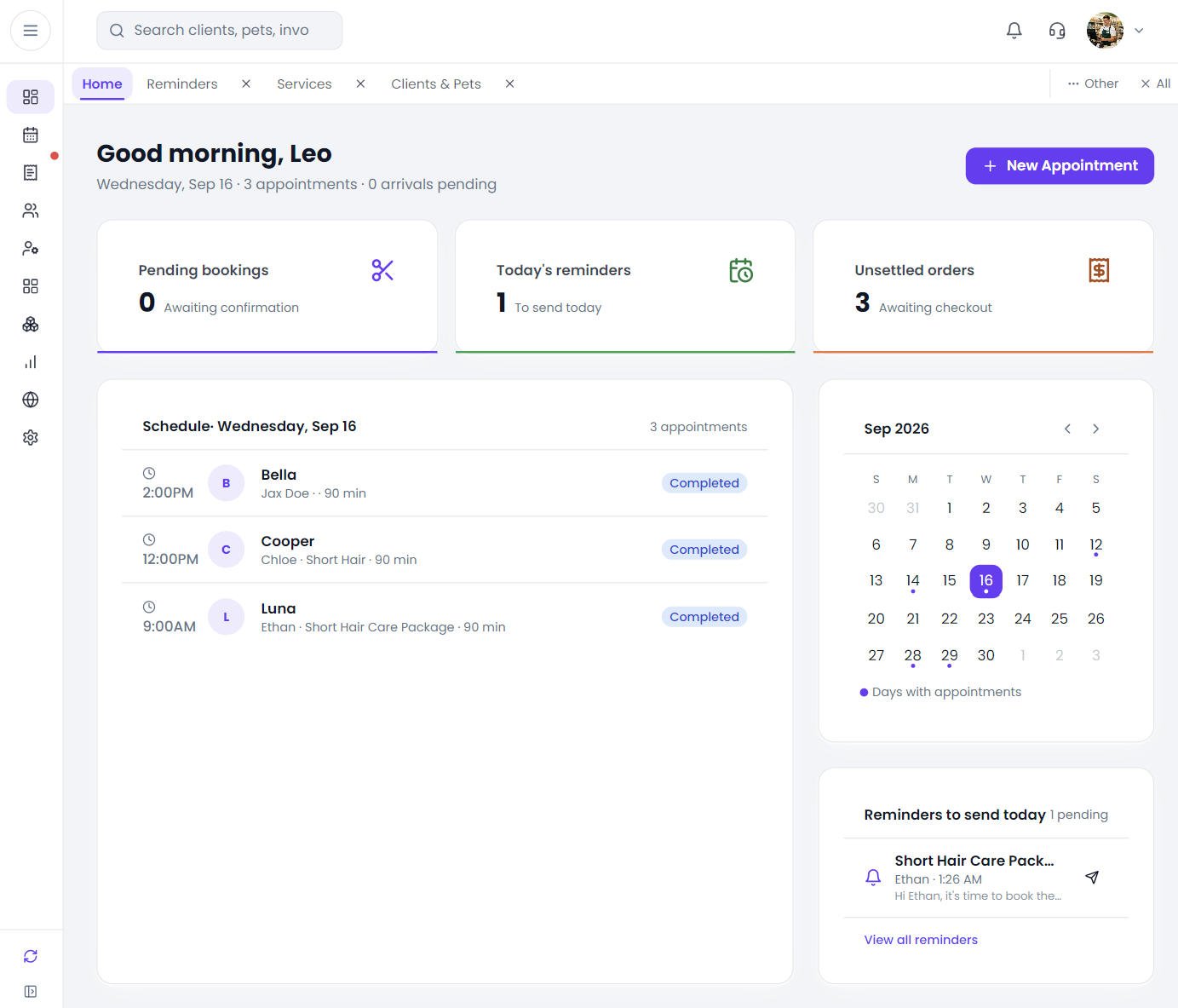
Nothing counts devices. Signing in mints a token for that browser and the token sits alongside any others already issued to that account. Two iPads on the floor, a laptop doing the books, a phone checking tomorrow's schedule from home: all of them can hold a live session at the same time. There is no per-seat charge on the device side and no "signed in elsewhere, signing you out" behaviour.
The honest part of the answer is the second half. Both screens are live, but neither watches the other.
What the iPad Sees: Responsive Layouts & Screen Breakpoints
Three breakpoints decide the layout: 640, 768 and 1024 CSS pixels.
An iPad in portrait reports 810 or 834 pixels wide depending on the model, which puts it above the tablet threshold but below the desktop one. In that range the navigation becomes a drawer that slides over the page; you tap to open it, pick a destination, and it closes. Rotate the iPad to landscape and the width crosses 1024, and the menu becomes a fixed rail down the left that you can collapse to icons when you want the extra hundred pixels. A 12.9-inch iPad Pro already clears 1024 in portrait, so it never sees the drawer at all.
The pages themselves reflow rather than shrink. Dashboard cards stack to two columns on a tablet instead of four. Long tables keep their columns and scroll inside the card instead of compressing until the numbers are unreadable. Nothing on the tablet is a stripped-down "mobile version" of the page; it is the same page with less room.
Two Screens, One Record: What Updates Instantly & What Waits
This is where shops get surprised, so it is worth being precise.
Start with money, because that is what people worry about. Your dog grooming billing software is not installed on one machine. It is a page, and both screens load it. A groom settled on the front iPad lands in the same day's takings the back office reads, so there is one figure for the day instead of two that somebody has to reconcile at closing.
There is no live push between devices. Pawfora does not open a websocket and does not broadcast changes. If someone checks out a groom on the front iPad, the laptop in the back does not re-render. It will show the old state until that page reloads or that list is re-fetched.
Two things do poll on their own. The unsettled and paid invoice counts, and the pending appointment count that badges the scheduler, both re-fetch every 30 seconds. Those are the numbers you glance at, and they drift into correctness on their own.
Everything else is on demand. Open the schedule and it fetches now. Navigate away and back and it fetches again. In practice this is fine, because the two devices are usually doing different jobs: the iPad takes the booking and the payment, the back office runs the report at closing time when the day's data is already settled. It is not fine if you expect a shared live board, and it is worth telling new staff once rather than letting them find out.
When Two Devices Touch the Same Record at Once (Conflict Handling)
The server is the referee, and it does not care which device you are holding.
Appointments are the usual collision. Say two people book the same groomer for the same two o'clock slot, one from the iPad and one from the laptop. The request that gets there first opens a database transaction and takes a row lock on the staff member involved, plus the pet, then re-checks the conflict inside that lock. The second request blocks until the first commits, then re-reads and finds the slot taken. It comes back as a 409 with one of three codes: the staff member is off, the staff member is already booked, or the pet is already booked in that window. Whoever moved second gets the error and picks another slot.
That check is the same whether the two requests came from one device or two. It is not a courtesy between browsers; it is a database constraint with a readable message on top.
Stock behaves the same way, more bluntly. Start a stock count and switch on the option to freeze stock, and every variant in that count's scope becomes unmovable for receipts, returns, manual adjustments and sales, from every device in the shop. Try to sell one of them from the till and the request is refused with the code of the count that is blocking it. One person counting the shelf puts a hold on the whole shop's stock movement until the count is approved, and that is deliberate.
The Public Booking Page Is a Third Live Screen
Worth remembering when you count screens: your customers are on one too.
The online booking page runs off the same calendar. When a pet owner loads it, the page asks for available slots and the server builds them from your real business hours, your staff rosters, time off already recorded, and appointments already on the book. A slot that would double-book a groomer comes back marked unavailable rather than being offered.
So the iPad in the shop, the laptop in the back, and a customer's phone at nine at night are all reading and writing one calendar. The customer's view is narrower, but the conflict rules they are subject to are identical to yours.
The gap is timing, not correctness. The slot list is a snapshot taken when the page asked. If a customer is staring at a slot list they loaded two minutes ago while you book that slot from the counter, their tap can still lose the race. They get told the slot is gone, which is correct, just annoying. It is the same race two staff members would have, and it ends the same way.
Photos, Barcodes, and Receipts: What the Tablet Can and Cannot Reach
Most point of sale systems for pet stores are built around a fixed counter: a till bolted in place, a printer wired to the same box, a scanner plugged into the same machine. Pawfora's till is a page, and the tablet is only one of the places that page can be open. That is what makes the rest of this section worth reading, because a page cannot reach hardware the way an installed program can.
Photos: The System Picker, Not an In-App Camera
The upload control is a standard file picker, which on an iPad means the system sheet opens with Take Photo, Photo Library and Browse on it. Shoot the before and after pictures on the tablet and they go straight into the grooming report. What you do not get is an in-app camera with a frame and a shutter button; it is the operating system's picker handing the file over.
Barcodes: A Scanner, Not the Camera
The receiving screen has a scan box, and it is a text field: it matches what you type against barcode, then SKU, then product name, on Enter. A Bluetooth scanner in keyboard-wedge mode does exactly that, so it works on the iPad the same as it does on a desktop. The camera is never used for scanning, so if you were hoping to point the tablet at a barcode you will be disappointed.
Receipts: Browser Print, Not a Thermal Driver
The till builds a 58mm receipt as a web page, opens it, and calls print. On an iPad that hands off to AirPrint, so any AirPrint printer on the network is reachable. What it cannot do is talk to a thermal printer on your LAN directly, because a web page has no business opening sockets to shop hardware. If your counter setup depends on a receipt firing the instant the drawer opens, check it on your own printer before you commit to the tablet.
Payment: Your Terminal, Not Ours
Payment is entirely outside this. Pawfora records how the money was taken; the card terminal is your own device, and the iPad and the terminal do not talk to each other.
Sessions, Sign-Out, and the Seven-Day Login Token
Every sign-in issues a token that lasts seven days. On the eighth day that device is asked to sign in again. It is not a timeout on idleness; a tablet that is used every day keeps rolling forward, and one that sits in a drawer over a long weekend still works on Monday.
You can see the sessions. The account's session list shows each active token with when it was created and when it last talked to the server, and you can revoke any of them individually. Revoking the one you are holding logs you out of the device in your hands.
One limitation, and it matters more on tablets than anywhere else: the system does not record what kind of device a token came from. It stores a fixed name for every token, so the list shows one entry flagged as this device and the rest as generic others, distinguished only by their timestamps. If you are staring at six sessions trying to work out which one is the iPad you left in the grooming room, the created and last-used times are all you have to go on. Revoking the wrong one logs out a device somebody is using, and they will have to sign back in.
The practical habit: sign out of tablets that are not yours, and check the list when someone leaves.
What Pawfora Does Not Do on a Tablet (Practical Limits)
Stated plainly so nobody has to discover it mid-shift.
There is no offline mode. Pawfora is not an installable app and does not cache your working set, so if the shop's internet drops the tablet stops. A sale cannot be queued and replayed later.
There is no live board. No screen watches another. Two people editing the same client card at the same time are editing the same record, and the later save wins, because there is no version check on client fields. Split the work by job, not by hoping the software will mediate.
There is no camera barcode scanning, no direct thermal printer, and no card terminal integration. Those three are the ones people assume a "POS on iPad" product will have.
And there is no way to name a device, as above.
Summary & Next Steps
Pawfora runs in the browser, so an iPad and a desktop can work the same shop at the same time, on the same account, with no device licence between them. What you get is two live views of one database. What you do not get is those two views watching each other: the sidebar counts refresh every 30 seconds, everything else waits to be loaded, and collisions are settled by the server with a conflict error rather than by negotiation between screens.
Where that bites is three places, and all three are manageable once you know them: two people booking the same slot (the second one gets a clear error), a stock count freezing movement for everyone (announce it before you start), and a tablet that cannot work through an internet outage (keep a fallback).
If you are weighing a tablet for the counter, the honest test is not whether the software runs on it. It does. The test is whether your printer, your scanner and your card terminal are happy in that setup, because those are the parts a browser cannot reach for you.
Related questions: whether Pawfora has an iPad app to install, how many devices can be signed in at once, whether the system works without internet, how the online booking page avoids double-booking.
See it on your own shop
Every module is unlocked for 7 days. Set up your services and take a real booking before you decide anything.
No credit card required · Cancel anytime